
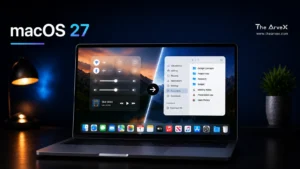


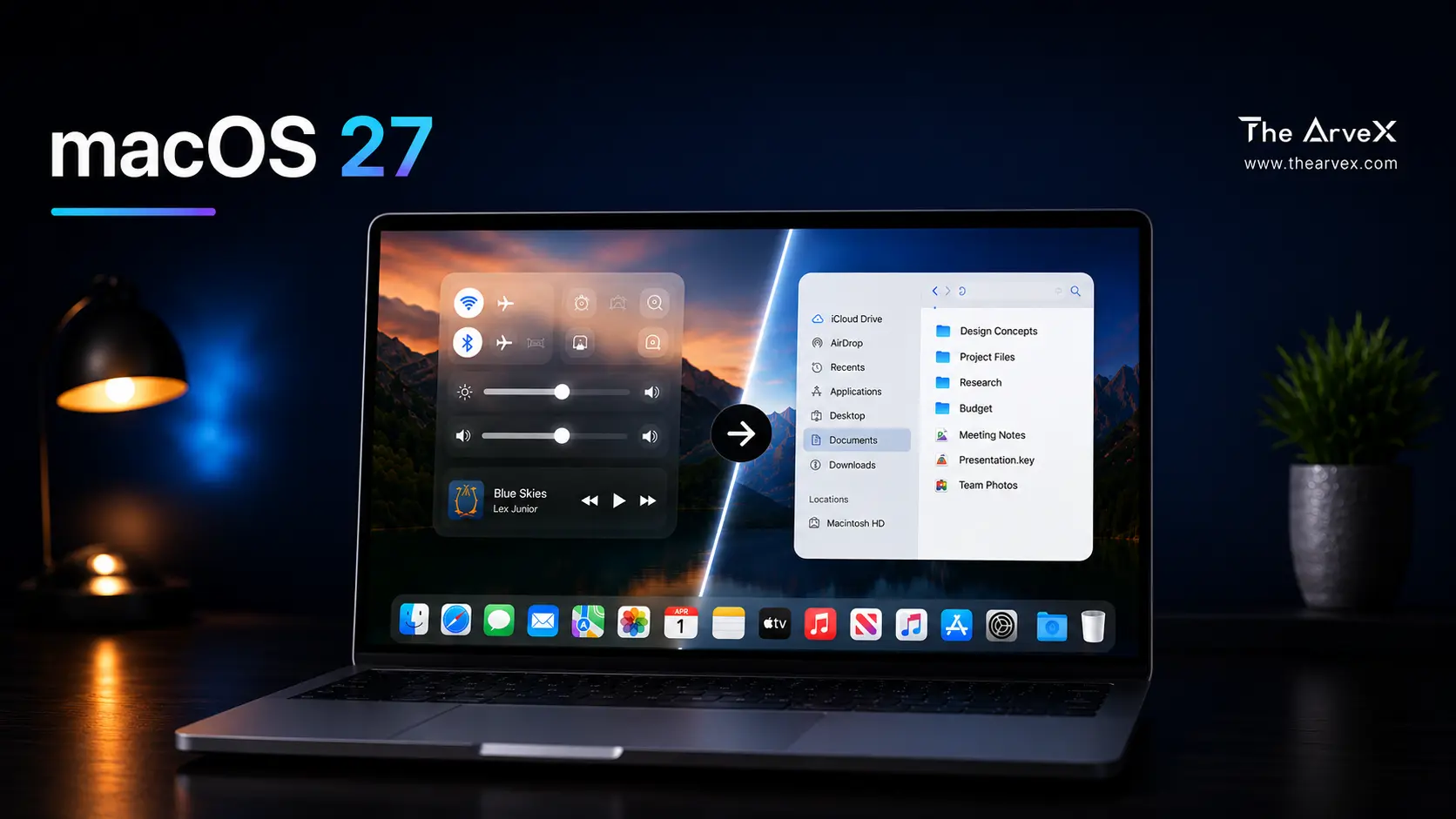
Apple's next operating system,
macOS 27, will arrive with a redesigned Liquid Glass interface that fixes the readability and transparency complaints that have troubled macOS Tahoe since launch. The changes are set to debut at WWDC 2026 on June 8, and while they aren't a full teardown of the design language, they're significant enough that everyday Mac users are going to notice a real improvement. Here's everything you need to know.
What Is Liquid Glass, and Why Did Mac Users Hate It?
When Apple unveiled macOS 26 Tahoe at WWDC 2025, it rolled out its most ambitious visual overhaul since the flat design era that began with iOS 7 in 2013. The centerpiece was Liquid Glass, a translucent, layered interface material that gives menus, toolbars, sidebars, and app icons a glassy, reflective look. In demos, it was stunning. In daily use on a Mac? Not so much. The problem comes down to hardware. Liquid Glass was designed with OLED screens in mind, screens that produce deep blacks and sharp contrast, making translucency look clean and deliberate. But most Macs still run on LCDs, which handle those glass effects far less elegantly. The result: shadowy menus, hard-to-read sidebars, and a Control Center that looked more like a foggy window than a polished interface.
Where the Pain Was Worst
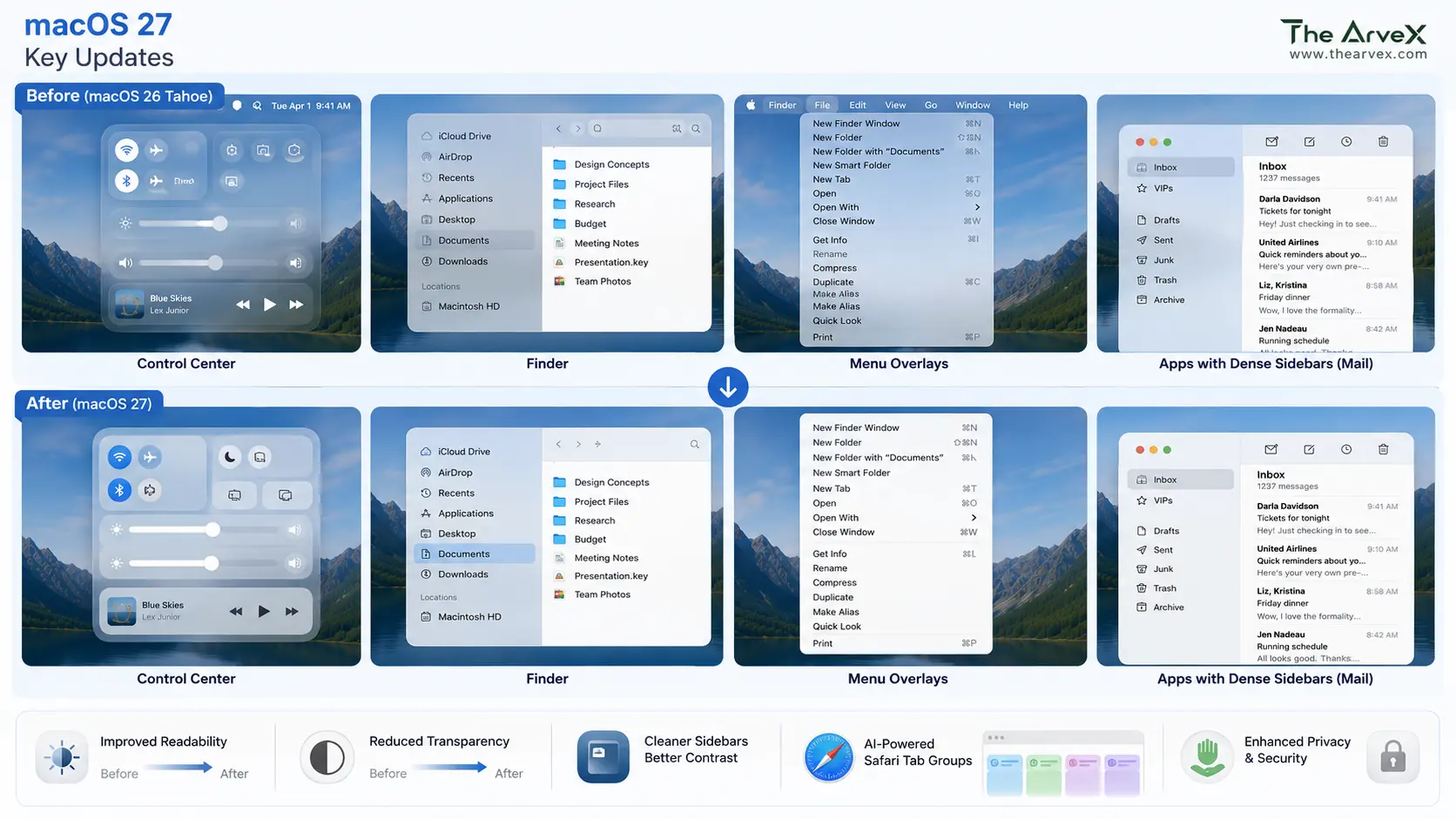
The readability issues weren't universal; they showed up most aggressively in specific areas:
Control Center
The transparency made icons and toggles harder to distinguish at a glance.
Finder
Sidebar panels and text-heavy list views became visually muddy.
Apps with dense sidebars
Mail, Notes, and other apps where users spend hours reading text suffered the most from contrast degradation.
Menu overlays
Floating menus rendered with excessive blur made quick navigation feel slower, not faster. Users weren't wrong to complain. The criticism spread quickly across Reddit threads, MacRumors forums, and YouTube reviews. The design was bold, but the execution felt unfinished.
What Bloomberg's Mark Gurman Says About macOS 27
According to the latest May 10, 2026, edition of Bloomberg’s Power On newsletter, Mark Gurman reports that Apple is preparing what is internally described as a "slight redesign" for macOS 27. The goal is to salvage the reputation of the Liquid Glass interface, which has faced significant criticism since its debut in macOS Tahoe.
Gurman provides a fascinating look at Apple’s internal logic: the company doesn't view Liquid Glass as a failed concept, but rather as a "not completely baked implementation" from its software engineering team. The original vision was intended for high-contrast OLED displays, but the translucency and shadow effects felt "muddy" and "half-finished" on the LCD screens found in most current Macs.
macOS 27 Design Changes: What's Actually Being Fixed
Shadows and Transparency Get Tuned Down
The most concrete confirmed change is that Apple is actively adjusting how shadows and transparency render across the system. Engineers are reportedly tuning opacity behavior so that interface elements, particularly text and icons, maintain better contrast against glassy backgrounds. This should directly fix the most common complaint: that Finder windows, menus, and sidebars were simply too hard to read.
Readability Is the Top Priority
Apple's internal goal for macOS 27's design work is framed around readability above all else. That means tighter control over how much of the desktop bleeds through into UI elements, and refinements to ensure that text-heavy areas of the interface are never competing with a blurred wallpaper for the user's attention.
Control Center Gets a Cleanup
Control Center has been one of the most-criticized areas of macOS Tahoe. The transparent panel design made it hard to quickly identify and interact with controls. Expect macOS 27 to dial back the translucency in this area specifically, giving the panel a cleaner, more functional look.
Finder and Sidebar Improvements
Dense-list environments like Finder were ill-suited for Liquid Glass effects. The upcoming refinements should restore the kind of at-a-glance clarity that users relied on in earlier versions of macOS.
What's NOT Changing: Liquid Glass Is Here to Stay
If you were hoping Apple would ditch Liquid Glass entirely, that's not happening. Multiple sources, Gurman, 9to5Mac, and MacRumors all confirm the same message. This is a refinement, not a reversal. Apple remains committed to the design language long-term. The company views Liquid Glass as a foundational shift for all of its platforms, and macOS 27 is simply the step where the execution finally catches up with the original vision. Think of it the way Apple handled iOS 7 and iOS 8. When iOS 7 launched in 2013 with its bold flat redesign, the reaction was divided: too much transparency, too many contrast issues, too jarring a departure. iOS 8 spent the following year quietly fixing those problems without abandoning the direction. macOS 27 is Apple's iOS 8 moment for the Liquid Glass era.
The Other Big macOS 27 Changes Worth Knowing About
The design cleanup is only part of what's coming. macOS 27 is shaping up to be a meaningful update across several areas.
AI-Powered Safari Tab Groups
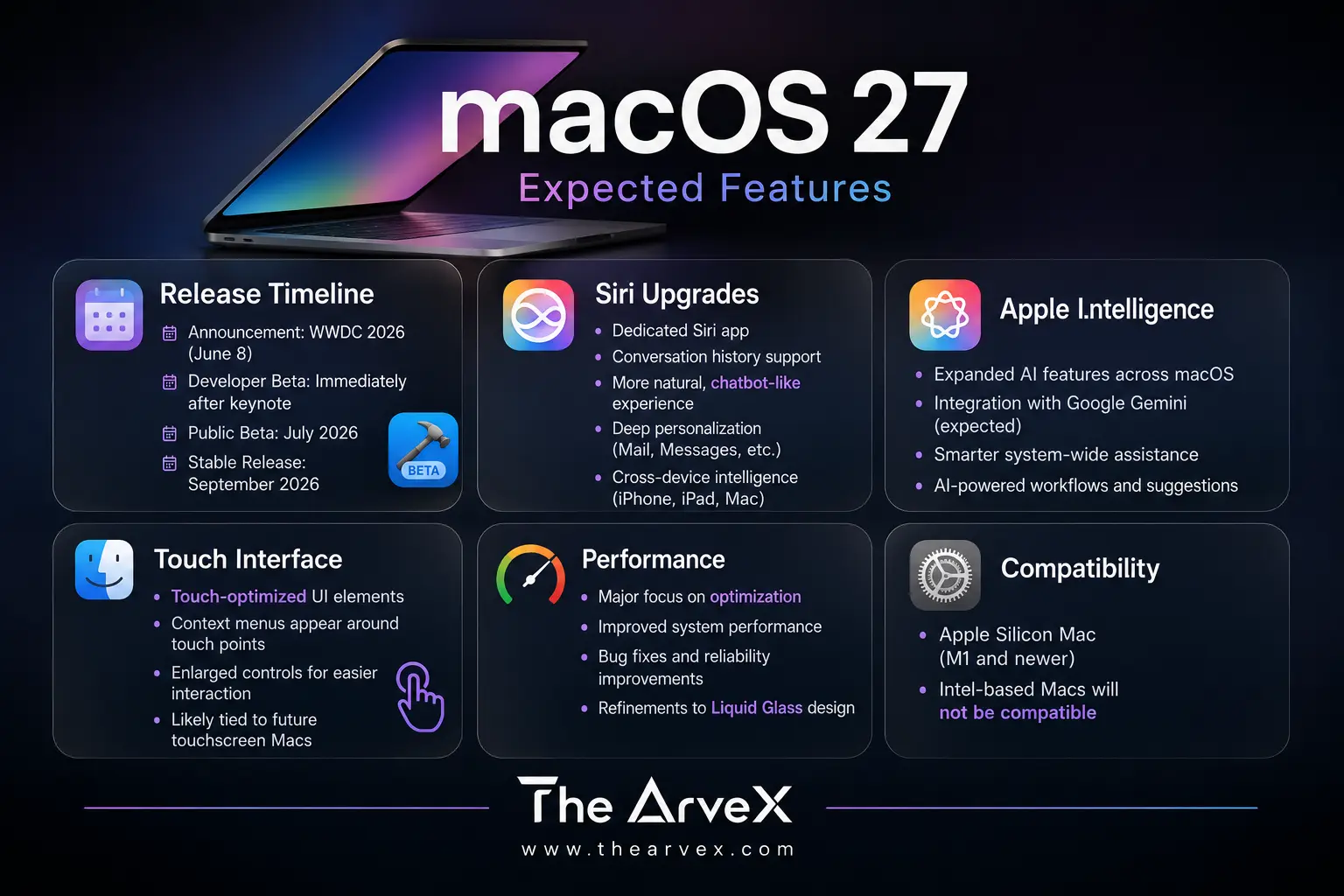
One of the most practical new features is an AI-powered "Organize Tabs" option in Safari. According to Gurman, a new button in the tab bar lets users tell Safari to automatically sort open tabs into topic-based groups or leave them organized manually if preferred. Safari will reportedly tell users that "tabs will group into topics you browse."This builds on the Tab Groups feature Apple introduced in Safari 15, but with Apple Intelligence doing the heavy lifting. The feature is expected across macOS 27, iOS 27, and iPadOS 27.
A Redesigned Siri App With Conversation History
macOS 27 is expected to include a dedicated Siri app, a significant shift from the current system-level assistant model. The new app would support both voice and text input and, crucially, give users access to their past conversations with Siri, making it behave more like ChatGPT or Google Gemini. Apple is also repositioning Siri as a more proactive assistant capable of pulling context from apps like Mail and Messages to answer personal questions, a feature Apple teased all the way back at WWDC 2024 and is finally arriving.
Bug Fixes, Performance, and Battery Life
Beyond the visible changes, Apple is treating macOS 27 as a stability and performance release. The comparison being floated internally and by analysts is Mac OS X Snow Leopard, the 2009 release that famously focused on "no new features," just making everything work better. Expect battery life improvements, faster app launch times, and a generally snappier feel across the board.
macOS 27 Release Timeline
The roadmap begins with the WWDC 2026 Keynote Reveal on June 8, 2026. The Developer Beta will be released immediately after the keynote, followed by the Public Beta in July 2026. The full release for all users is expected in September 2026.
Should You Be Excited About macOS 27?
Honestly? Yes, especially if macOS Tahoe frustrated you.
Apple is doing something smart here. Rather than defending a launch that landed imperfectly, the company is listening to real-world usage feedback and adjusting. The Liquid Glass design was never a bad idea; it was a complicated technical challenge that didn't fully translate to Mac hardware in its first iteration.
MacOS 27 fixes the implementation while preserving the vision. That's mature software stewardship, and for the millions of Mac users who've spent the last year squinting at Control Center and fighting Finder's murky sidebars, it can't come soon enough. WWDC 2026 kicks off June 8. Mark your calendar.
Frequently Asked Questions
Sources: Bloomberg (Mark Gurman, Power On newsletter), MacRumors, 9to5Mac, AppleInsider, Cult of Mac, Digital Trends