

The Intelligence System That Makes Chromebooks Obsolete
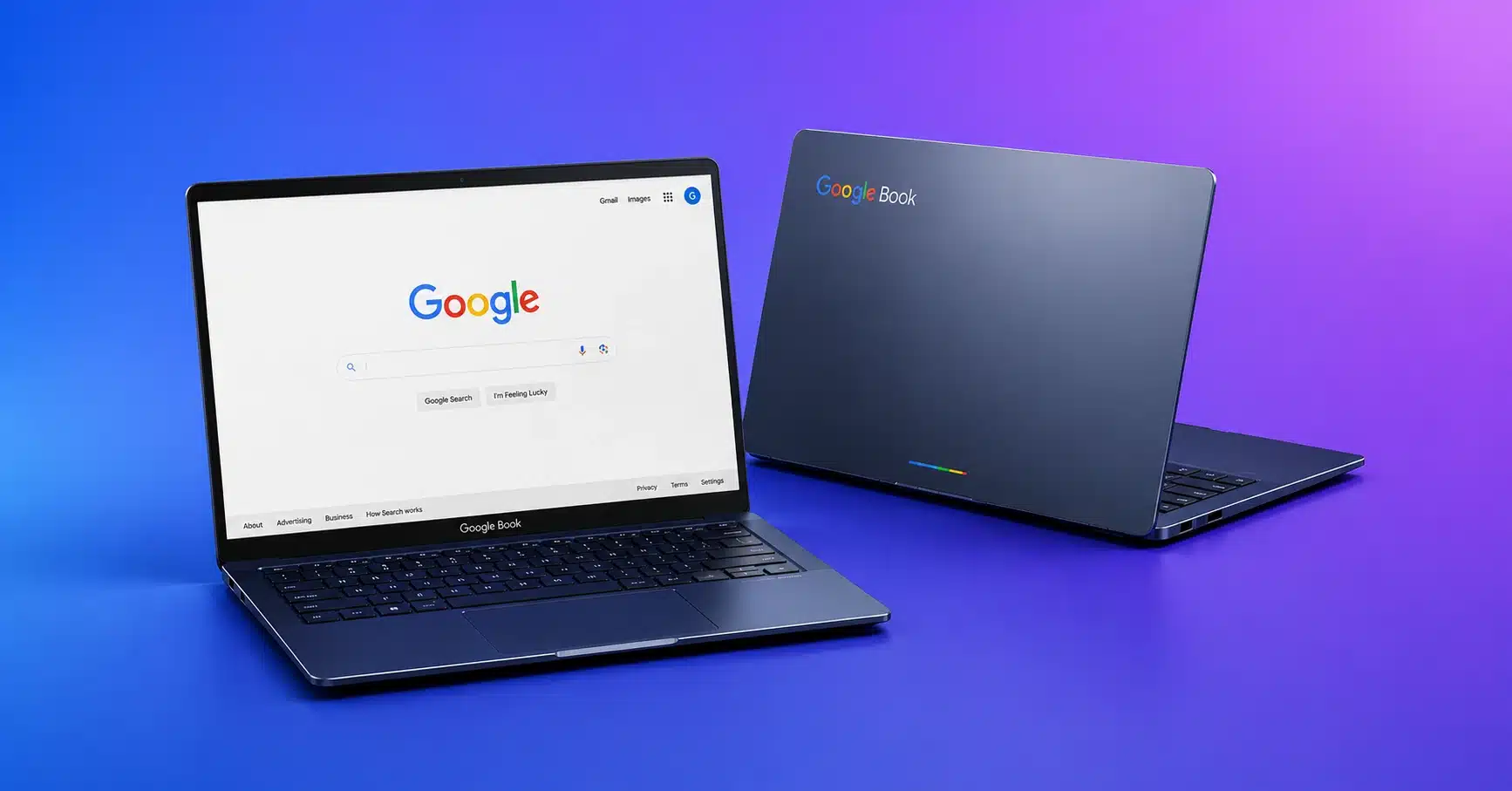
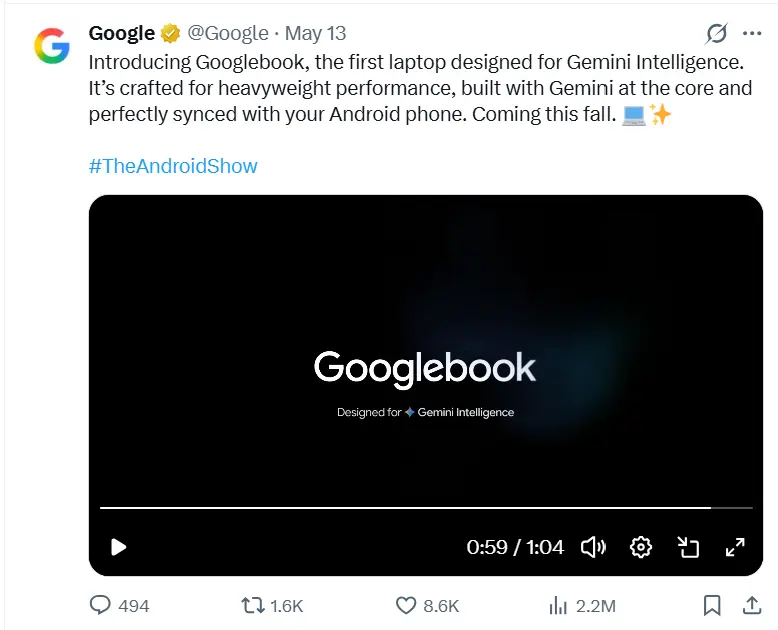
The Googlebook is not a Chromebook refresh. It is the first laptop platform built around AI at the OS level, not bolted on top of it. Powered by Project Aluminum, a fusion of Android and Chrome OS, and featuring the DeepMind-co-developed Magic Pointer, it is Google's most credible challenge yet to Apple and Microsoft in the premium laptop space. Hardware ships Fall 2026. The real question isn't whether it's impressive, it is. The question is whether Google can execute at launch.
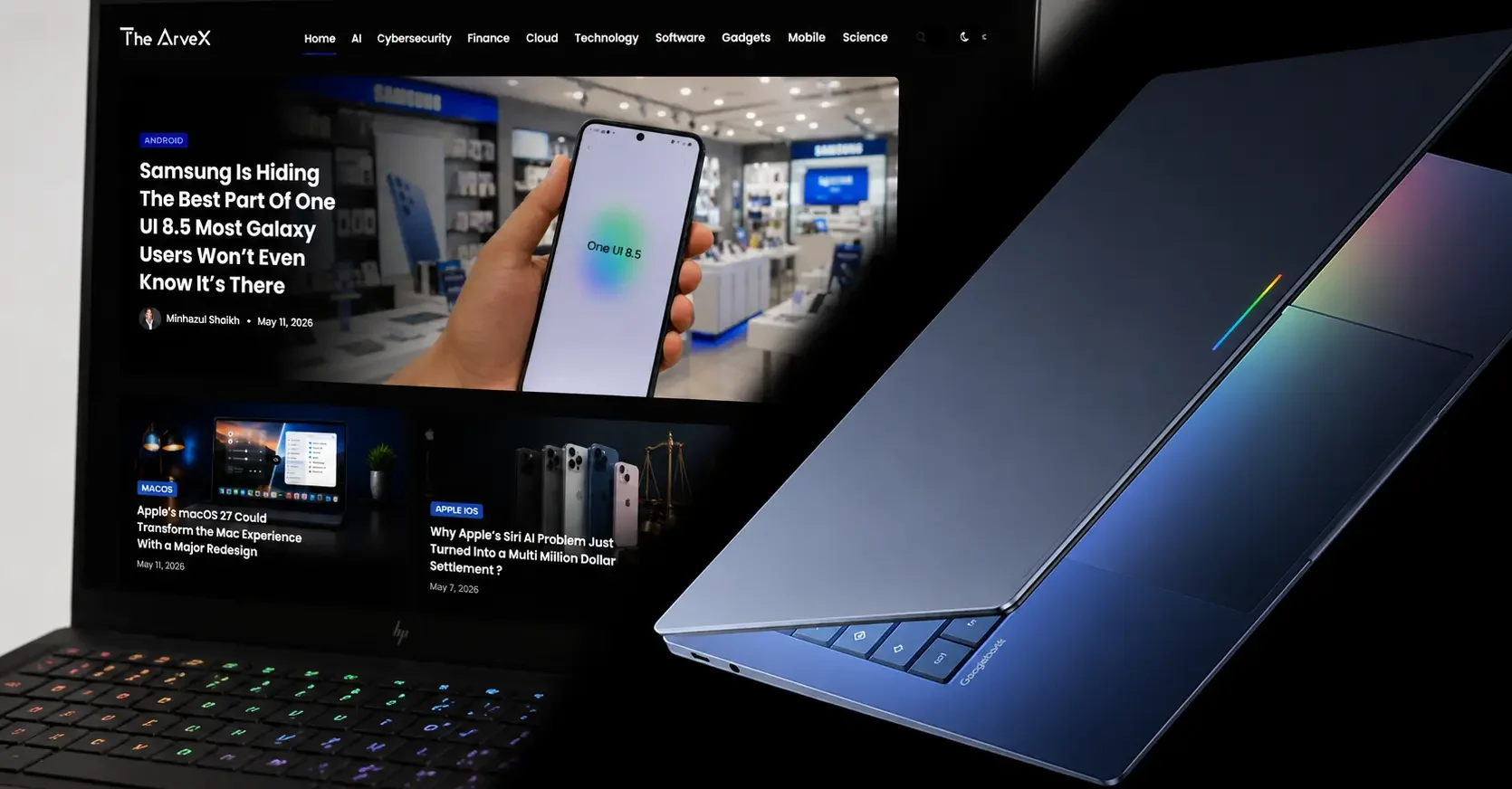
What Is the Google Googlebook? The Project Aluminum Story
Every few years, a product redefines a category. The Googlebook intends to do that for laptops, but to understand why it's different, you must understand Project Aluminum, Google's internal codename for the OS fusion that makes this possible.
For years, Google ran two parallel ecosystems: Android (mobile-first, app-rich) and Chrome OS (browser-first, cloud-dependent). They overlapped awkwardly. Android apps on Chromebooks ran inside a compatibility layer that denied them full hardware access. The result was sluggish performance and a second-class experience.
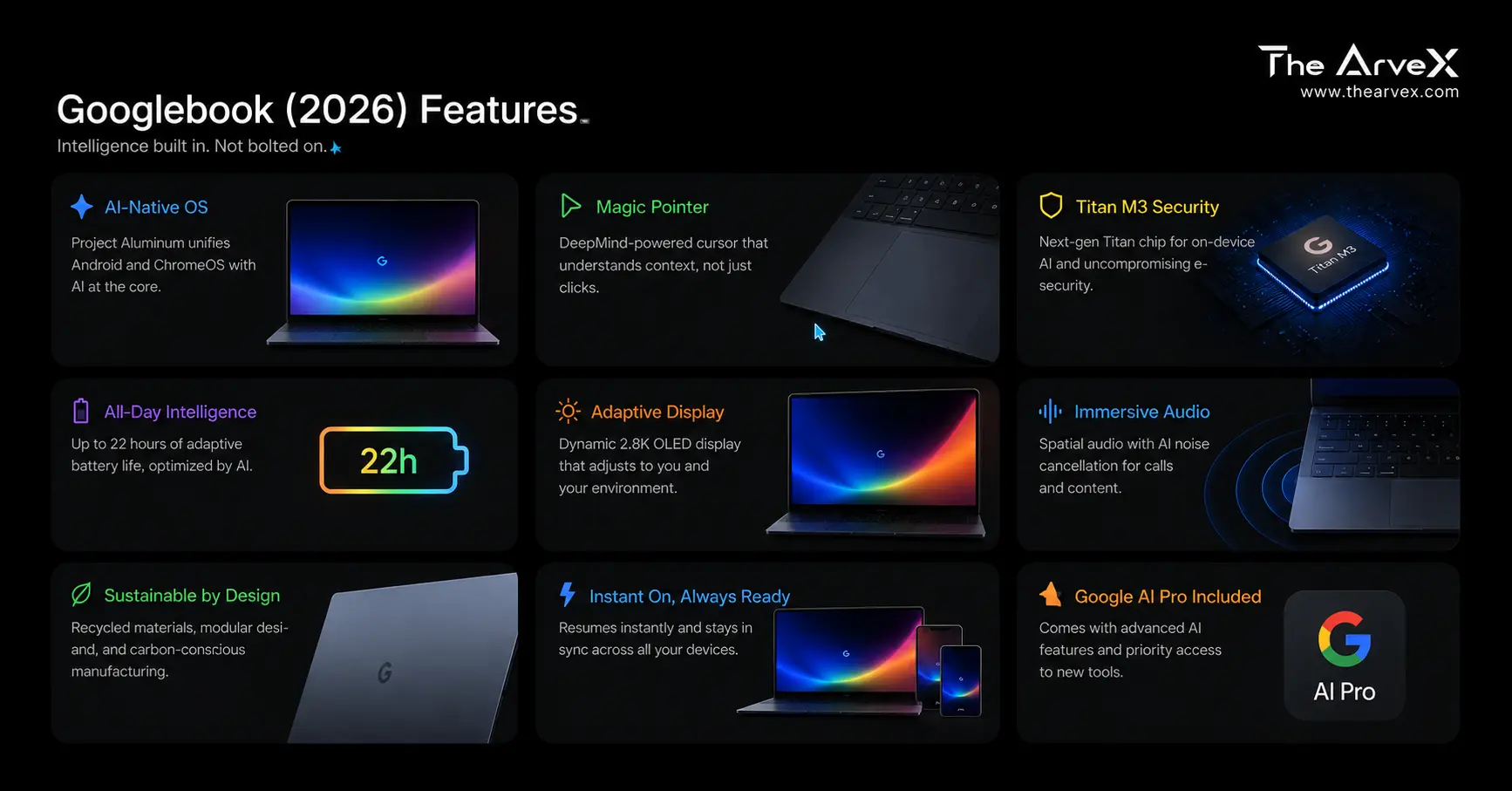
Project Aluminum ends that compromise. By merging both platforms into a single unified stack, Android apps on Googlebooks become first-class citizens with native access to hardware GPU, NPU, camera, and sensors without emulation overhead. This is not a cosmetic change. It is a foundational architectural shift that makes the Googlebook's AI features technically possible at the depth Google is claiming.
Google frames the outcome as a move "from an operating system to an intelligence system." That's the Googlebook's entire design philosophy in one sentence.
Key Specifications (Expected at Launch)
Platform: Project Aluminum, combining Android and Chrome OS in a unified ecosystem.
AI Engine: Gemini Intelligence with hybrid on-device and cloud-based AI processing.
Expected Chips: Intel Core Ultra 3, Qualcomm Snapdragon X-series, and AMD Ryzen AI processors.
NPU Focus: A dedicated Neural Processing Unit (NPU) will be required to support advanced AI features such as Magic Pointer.
OEM Partners: Expected launch partners include Acer, ASUS, Dell, HP, and Lenovo.
Form Factors: Multiple device formats are expected, including confirmed clamshell laptops and likely convertible models.
Signature Feature: Glow Bar, an AI status indicator designed for real-time assistant interaction.
Android App Support: Native Android app compatibility without emulation through Project Aluminum.
Phone Integration: Features like Cast My Apps and Quick Access for tighter smartphone connectivity.
Availability: Expected in Fall 2026. Price: Pricing is yet to be confirmed, but estimates suggest a range between $800 and $1,500+.
Full specs unconfirmed. Based on Google partner announcements and analyst sourcing.
Magic Pointer This Isn't Just a Smarter Cursor
Let's be precise about what Magic Pointer actually is, because most coverage undersells it.
Magic Pointer was co-developed with Google DeepMind , not the Assistant team, not Search Labs. DeepMind. That matters. It signals that the inference model powering cursor-level context awareness operates at a depth of multimodal reasoning that most laptop AI features don't approach.
How it's triggered: A deliberate "wiggle" or "shake" gesture of the cursor intentionally activates it, which is distinct from normal pointer movement to prevent false triggers. Once active, Gemini surfaces contextual action cards based on exactly what's on screen at that moment.
What it can actually do:
Hover over a date in an email, instantly draft and schedule a calendar invite
Select two images, a room photo and a piece of furniture, Gemini composites a visual preview in seconds
Point at a block of text, get instant summarization, translation, or action prompts
Highlight a spreadsheet range, trigger data analysis without opening a separate tool
The underlying architecture relies heavily on the NPU (Neural Processing Unit) in expected chipsets, Intel Core Ultra 3, Snapdragon X, and Ryzen AI to run inference locally for low-latency response. Cloud Gemini handles heavier tasks. This hybrid approach is what separates Googlebook's AI from the "always-loading" experience on lesser Copilot+ implementations.
This is the most meaningful reinvention of the cursor since the right-click was standardized. The skeptic's note: real-world latency, accuracy, and battery impact under sustained use are unknowns until hardware ships.
The Glowbar Status Indicator, Not Just Style
Every Googlebook ships with a Glowbar, a light strip along the device's exterior that almost every outlet described as a design flourish. It's more than that.
The Glowbar functions as a real-time visual status indicator for Gemini's system-wide AI processing.
Pulsing when Gemini Intelligence is actively listening for voice input
Glowing during on-device AI inference (Magic Pointer processing, widget generation)
Fading when the system is idle
Think of it as the AI equivalent of a camera indicator light, a transparency feature that tells you when the system is working. In a landscape where users are increasingly wary of always-on AI listening, this is a smart UX call. It also makes the Googlebook visually distinct on a desk or in a coffee shop in a way no Windows laptop currently matches.
Create My Widget Vibe Coding Your Desktop
Create My Widget is the Googlebook's answer to desktop personalization and it's the closest thing to vibe-coding that consumer hardware has delivered.
Instead of configuring widgets manually, you describe what you want in natural language, and Gemini builds it. The feature connects to Gmail, Google Calendar, live web data, and third-party apps to assemble a custom dashboard in real time.
Practical example: "I'm planning a trip to Tokyo next month." Gemini builds a widget that consolidates your flight status, hotel check-in times, a currency converter, and a weather strip all in one draggable desktop element.
This is generative UI at the OS level. No coding, no configuration files, no third-party widget apps. The desktop becomes a living, Gemini-curated workspace that updates itself. For productivity users, this alone justifies serious attention.
Android Integration The Real Competitive Moat
Two features separate Googlebook from every other "laptop plus phone" integration story currently on the market:
Cast My Apps
Any app on your Android phone can be projected onto the Googlebook screen and used with full keyboard and trackpad support. No Bluetooth pairing tricks, no mirroring lag. The app runs natively, benefiting from Project Aluminum's shared stack.
Quick Access
The Googlebook's file browser treats your phone's storage as a native drive. Browse, search, and insert files directly from your phone, no transfers, no cloud upload required.
For anyone operating an Android phone + laptop workflow, this is genuinely transformative. Apple's Handoff and Microsoft's Phone Link are functional. This is deeper.
Googlebook vs. Chromebook The Honest Distinction
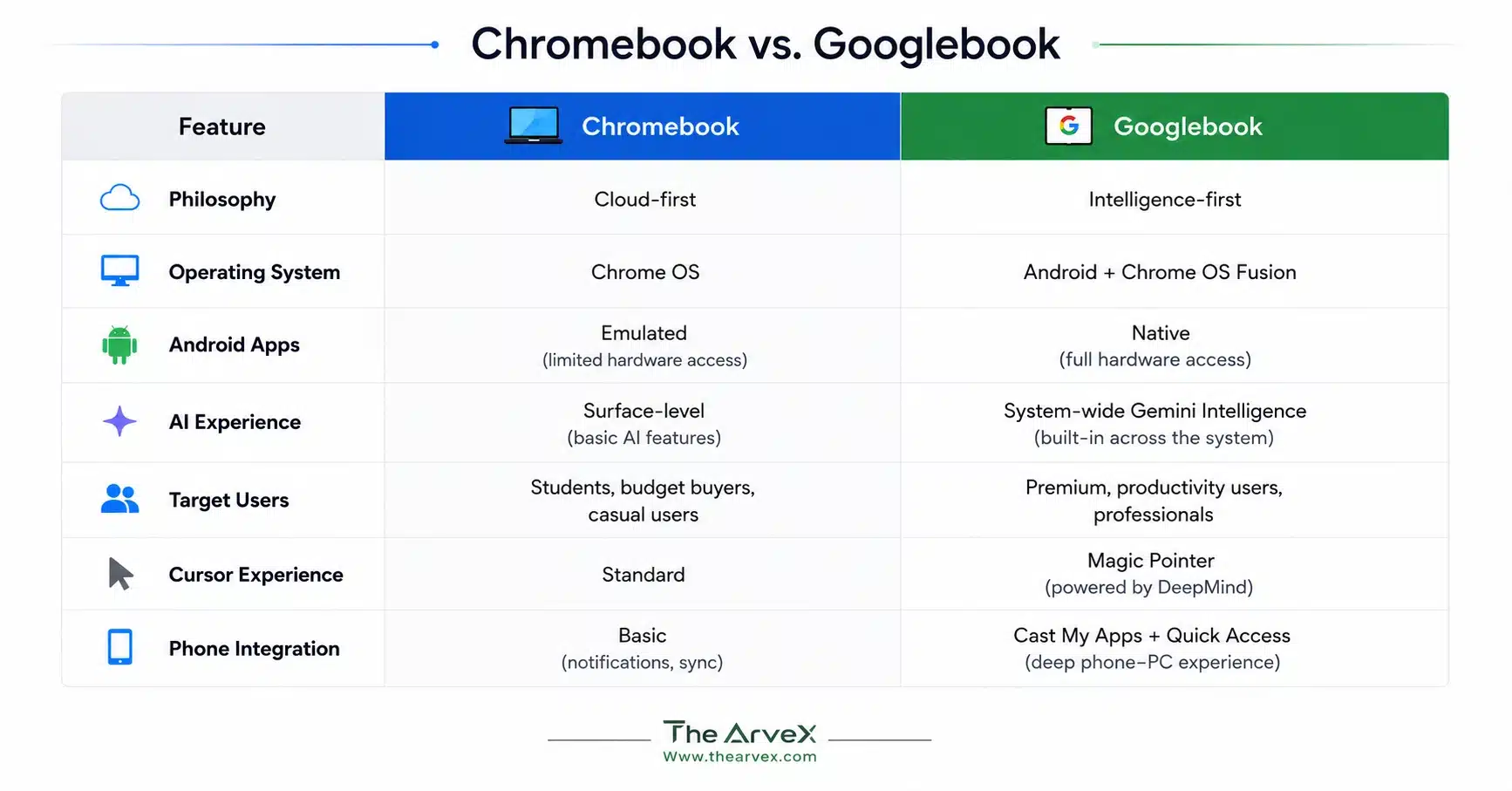
Google confirmed Chromebooks will continue receiving support through existing commitment windows. Many post-2021 devices will be eligible to transition to the new platform. But the product investment is clearly here.
Who Should Buy a Googlebook?
Strong fit:
Android power users wanting laptop continuity without ecosystem friction
Professionals who want Gemini handling scheduling, summarization, and file management at the OS level
Creatives using AI-generated visual previews and real-time content compositing
Not the right call (yet):
Developers needing deep Linux environment control
Gamers , no GPU roadmap confirmed
Windows or macOS power users with deep app dependencies
The Skeptic's Take: What Google Still Needs to Prove
Google has a history of launching compelling platform visions that underdeliver at execution: Stadia, Pixel books, and Google+. The Googlebook's on-paper proposition is genuinely strong. But several questions remain unanswered heading into fall 2026:
Battery life
Under sustained NPU + cloud Gemini workloads
Privacy architecture:
How much of Magic Pointer's inference stays on-device vs sent to Google's servers
Price ceiling:
If partners push entry Googlebooks above $1,000, adoption in the education market (Chromebook's stronghold) stalls immediately
These aren't dealbreakers. They're the checkboxes Google needs to clear before the Googlebook becomes a mainstream recommendation.
Final Verdict
The Googlebook is the most architecturally honest attempt to build a laptop around AI not market it as one. Project Aluminum solves a real problem. Magic Pointer introduces a genuinely novel interaction paradigm. The Glowbar adds transparency to AI activity in a way that feels thoughtful rather than gimmicky. And Create My Widget is vibe-coding for your desktop, delivered at the OS level.
Fall 2026 is when the real story begins. Until then, this is the most exciting laptop platform announced in years and the one most worth watching.
Thearvex.com will be on the ground with hands-on coverage. Bookmark this page for full specs, pricing, and first-look reviews as launch approaches.